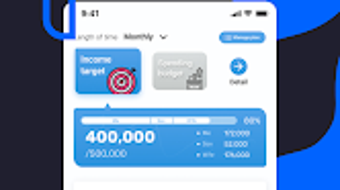

Download Ocean plus – household accounting, expense tracking, budget management, personal finance
Overview
Ocean plus is a straightforward household accounting application designed to assist individuals and families in managing their personal finances with ease. The software aims to simplify the tracking of income and expenses, enabling users to maintain financial clarity and support long-term savings goals. By allowing users to input financial data directly on the screen, Ocean plus facilitates real-time monitoring of household budgets and spending patterns. Its core purpose is to help users understand where their money goes, identify unnecessary expenditures, and make informed financial decisions. This makes it particularly useful for those seeking to reduce overspending, improve financial discipline, or gain insight into their monthly financial habits. The application is tailored for everyday users, including individuals managing personal budgets and families tracking shared household costs. It supports multiple users, allowing separate tracking of personal and family expenses, which enhances its utility in shared living environments. While the developer, OCEAN PLUS DEV, is identified, no further details about the company’s background or history are available. The software is available as a free tool, accessible via the Google Play Store, and is optimized for Android devices. Real-world usage scenarios include daily expense logging, monthly budget reviews, and generating financial reports to assess spending trends over time.Key Features & Capabilities
Ocean plus offers a suite of practical tools designed for efficient household financial management. Users can record income and expenses directly through an intuitive interface, enabling quick data entry without requiring extensive training. The application supports calendar-based tracking, allowing users to visualize financial activity over specific time periods. This feature helps in identifying recurring expenses and seasonal spending patterns. Reports can be generated within a defined date range, providing a clear breakdown of income and expenditures, which supports informed decision-making. The ability to classify expenses by user or account type enhances organization, especially in households with multiple members. This feature allows each individual to track their own spending while maintaining a consolidated view of overall household finances. Users can monitor budget adherence and adjust financial goals dynamically. The software also facilitates the creation of financial summaries, helping users assess their savings progress and expenditure distribution. These capabilities are particularly beneficial for users who want to avoid overspending, achieve savings targets, or maintain financial transparency within a family unit. While detailed technical specifications for these features are not provided, their implementation appears to prioritize simplicity and usability. The application’s focus on core accounting functions ensures that users can manage their finances without being overwhelmed by unnecessary complexity.User Interface, Workflow & Performance
The user interface of Ocean plus is designed with simplicity in mind, focusing on ease of navigation and minimal learning curve. Users can access key functions through a clean, linear layout that prioritizes essential actions such as adding income, logging expenses, and viewing reports. Navigation appears to be straightforward, with main options likely presented in a bottom or side menu, consistent with typical mobile application design patterns. The workflow is structured around daily or periodic data entry, enabling users to quickly record transactions as they occur. This streamlined process supports consistent financial tracking without disrupting daily routines. While specific performance metrics such as CPU usage, RAM consumption, or load times are not disclosed, the application is expected to operate efficiently on standard Android devices, given its lightweight nature. The developer did not specify resource usage details. Stability is assumed to be adequate for a basic accounting tool, though no user-reported crash rates or reliability data are available. The application appears to function without requiring complex setup or configuration, making it accessible to users with limited technical experience. General software behavior suggests that the app maintains responsiveness during typical use, such as entering data and generating reports. No performance issues were reported in the provided description, and the app is likely optimized for smooth operation on a variety of Android devices.Compatibility & System Requirements
Ocean plus is designed for Android devices and is available through the Google Play Store. The application is offered as a free download, with no cost associated with its use. The developer did not provide additional system requirements, including minimum hardware specifications, screen resolution, or Android version compatibility. As a result, exact compatibility details are limited. It is reasonable to assume that the app is compatible with most modern Android smartphones and tablets, given its simple functionality and typical deployment model. However, the developer did not specify the minimum Android version required for installation. The installation size is not disclosed, so users cannot determine the storage space required on their device. Platform compatibility information is limited, and no details were provided about support for other operating systems such as iOS, Windows, or macOS. Users should verify compatibility with their specific device before downloading. The software is intended for use on mobile devices, and no desktop or web-based version is mentioned. For users seeking cross-platform access, this limitation may be a consideration. The developer did not include information about updates or automatic sync features, so the update frequency and data backup methods remain unknown.Pros and Cons
- Simple, user-friendly interface ideal for beginners
- Free to download and use with no hidden costs
- Supports multiple users for household or family tracking
- Offers calendar-based tracking and report generation
- Enables real-time monitoring of income and expenses
- Helps users identify spending patterns and improve budgeting
- No detailed system requirements provided
- Not available for desktop or web platforms
- Limited information on performance and resource usage
- Only available on Android via Google Play Store
- No mention of cloud sync or data backup features
- Developer contact information is not intended for personal use
FAQ Section
Is Ocean plus available for Windows or Mac?
Based on the provided information, Ocean plus is only available for Android devices. There is no indication of a desktop or web version for Windows or Mac.
Can I use Ocean plus offline?
The application is designed for personal financial tracking and does not require an internet connection for core functions such as recording income and expenses. However, details about offline functionality were not specified.
Is Ocean plus safe to download?
As a free app available on the Google Play Store, Ocean plus is subject to Google’s security screening. It is recommended to download the app only from official sources to minimize risks.
Does Ocean plus support cloud backup or data sync?
The developer did not provide information about cloud backup or data synchronization across devices. Users should assume that data may be stored locally unless otherwise stated.
How often is Ocean plus updated?
Update frequency was not disclosed in the provided description. Users should check the Google Play Store for the latest version and update notifications.







